
Head Customization
The Head Customization section in STPro Actor allows users to select and modify the head appearance of a character.
Users can choose from available head presets to create unique character designs that match their animation requirements.
Purpose of Head Customization
Section titled “Purpose of Head Customization”Head Customization helps users:
- Select character head styles
- Create unique character appearances
- Match character identity and personality
- Improve visual consistency
- Prepare actors for animation workflows
Accessing Head Customization
Section titled “Accessing Head Customization”To access head customization:
- Open an Actor project.
- Navigate to the customization panel.
- Select the Head category.
- Available head options appear in the selection area.
Available Head Styles
Section titled “Available Head Styles”STPro Actor provides multiple head presets.
Users can:
- Browse available heads
- Preview head designs
- Select preferred head styles
- Change heads at any time during customization
The selected head is immediately applied to the character preview.
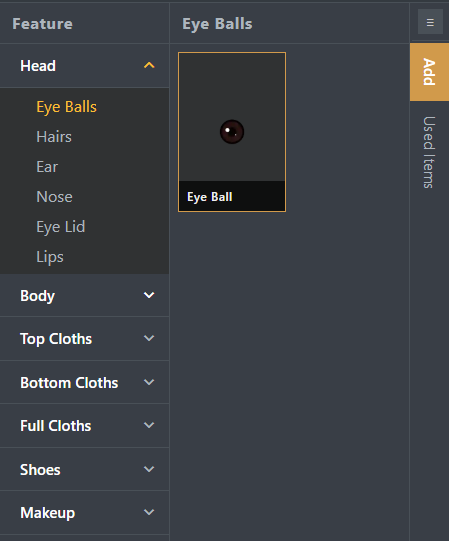
Selecting a Head
Section titled “Selecting a Head”To select a head:
- Open the Head section.
- Browse available head options.
- Click the desired head.
- The character preview updates automatically.
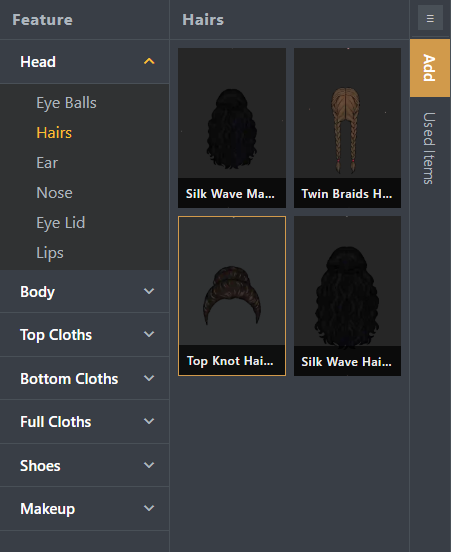
Real-Time Preview
Section titled “Real-Time Preview”All head changes are displayed instantly inside the preview area.
This allows users to:
- Compare different styles
- Verify character appearance
- Make quick adjustments
- Create suitable character designs
Head and Character Compatibility
Section titled “Head and Character Compatibility”Head selections are automatically integrated with:
- Selected body types
- Clothing items
- Makeup options
- Skin color selections
The system ensures compatibility across supported customization options.
Modifying Head Selection
Section titled “Modifying Head Selection”Users can change the selected head at any time.
To modify the head:
- Open the Head section.
- Select another available head.
- The previous head is replaced automatically.
Benefits of Head Customization
Section titled “Benefits of Head Customization”Head Customization provides:
- Flexible character creation
- Distinct character identities
- Faster actor creation workflow
- Consistent character appearance
- Improved visual storytelling
Summary
Section titled “Summary”The Head Customization section allows users to select and modify character head styles inside STPro Actor. Through real-time preview and easy selection controls, users can create visually distinct human characters that fit their animation projects.
Next Step
Section titled “Next Step”Continue to the next documentation section to learn:
- Body customization options
- Available body types
- Character body selection
- Creating complete actor designs