
Makeup
The Makeup section in STPro Actor allows users to enhance and personalize character appearance through various makeup options.
Makeup customization helps create more expressive, unique, and visually appealing actors for different animation projects.
Purpose of Makeup Customization
Section titled “Purpose of Makeup Customization”Makeup Customization helps users:
- Enhance character appearance
- Create unique actor designs
- Improve character personality
- Support storytelling requirements
- Add visual detail to actors
Accessing Makeup Customization
Section titled “Accessing Makeup Customization”To access makeup options:
- Open an Actor project.
- Navigate to the customization panel.
- Select the Makeup category.
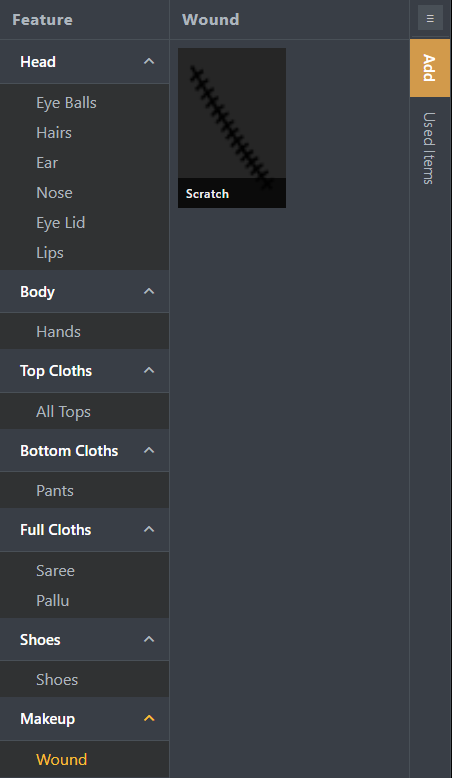
- Available makeup options appear in the selection area.
Available Makeup Options
Section titled “Available Makeup Options”STPro Actor provides various makeup styles that can be applied to characters.
Users may find options such as:
- Lipstick
Available options may vary depending on the selected character configuration.
Applying Makeup
Section titled “Applying Makeup”To apply makeup:
- Open the Makeup section.
- Browse available makeup options.
- Select the desired style.
- The character preview updates automatically.
The selected makeup is immediately applied to the actor.
Real-Time Preview
Section titled “Real-Time Preview”All makeup changes are displayed instantly inside the preview area.
This allows users to:
- Compare different makeup styles
- Verify character appearance
- Create balanced character designs
- Make adjustments before rendering
Makeup Compatibility
Section titled “Makeup Compatibility”Makeup selections work together with:
- Head styles
- Body types
- Clothing selections
- Skin colors
- Pose settings
The system automatically applies compatible makeup options.
Modifying Makeup
Section titled “Modifying Makeup”Users can change makeup selections at any time.
To modify makeup:
- Open the Makeup section.
- Select another makeup option.
- The previous selection is replaced automatically.
- The character preview updates instantly.
Makeup and Character Design
Section titled “Makeup and Character Design”Makeup can be used to create:
- Professional characters
- Casual characters
- Story-driven actors
- Educational presenters
- Creative animated personalities
Different makeup styles help characters better match their intended roles.
Benefits of Makeup Customization
Section titled “Benefits of Makeup Customization”Makeup Customization provides:
- Enhanced character detail
- Better visual presentation
- Flexible appearance control
- Improved actor personalization
- More realistic character designs
Summary
Section titled “Summary”The Makeup section allows users to personalize and enhance character appearance using various makeup options. Through real-time preview and flexible customization controls, users can create visually appealing actors tailored to their animation projects.
Next Step
Section titled “Next Step”Continue to the next documentation section to learn:
- Pose controls
- Character positioning
- Available pose options
- Previewing character poses