
STPro Animator Overview
STPro Animator is a browser-based 2D animation application developed inside the STPro Studio.
It allows users to create professional animated content directly from a web browser without requiring heavy desktop software.
The platform is designed for:
- Content creators
- Educators
- Storytellers
- Marketing teams
- Social media creators
- Animation beginners
- Professional production workflows
Purpose of STPro Animator
Section titled “Purpose of STPro Animator”STPro Animator provides a complete animation environment where users can:
- Create animation projects
- Design scenes
- Add animated characters
- Use visual assets
- Apply animations
- Control timelines
- Render final videos
The platform simplifies animation production while maintaining professional workflow capabilities.
Core Capabilities
Section titled “Core Capabilities”STPro Animator includes multiple animation and editing tools.
Users can work with:
- Characters
- Backgrounds
- Objects
- Visual effects
- Audio assets
- Scene timelines
- Animation presets
Project-Based Workflow
Section titled “Project-Based Workflow”Users can create and manage multiple animation projects independently.
Each project may contain:
- Multiple scenes
- Characters
- Assets
- Animations
- Timeline sequences
Workspace Structure
Section titled “Workspace Structure”The STPro Animator interface is divided into multiple sections.
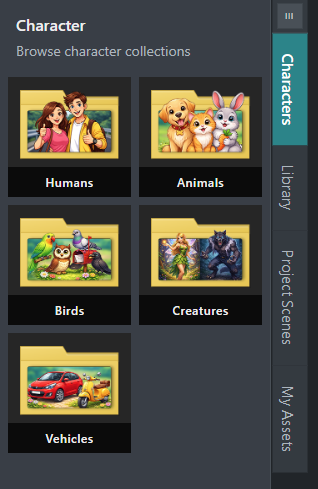
Left Panel
Section titled “Left Panel”The left panel contains:
- Character libraries
- Asset collections
- Scene controls
- Uploaded assets
This section acts as the main content management area.
Center Workspace
Section titled “Center Workspace”The center area is the animation canvas where users:
- Design scenes
- Arrange objects
- Add characters
- Preview animations
Timeline
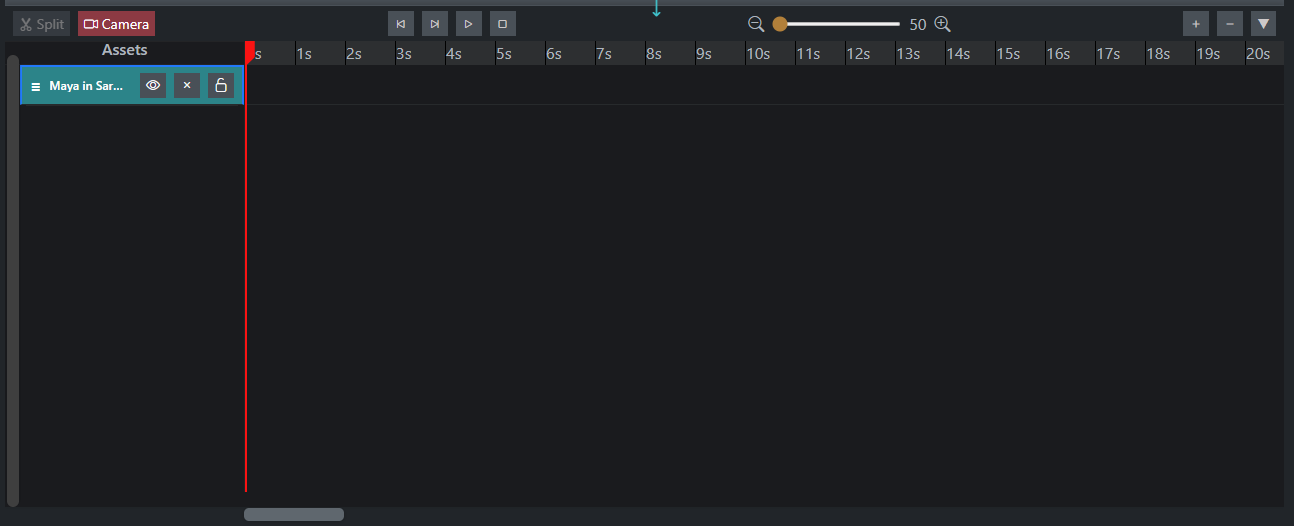
Section titled “Timeline”The timeline controls:
- Animation duration
- Layer organization
- Frame timing
- Scene synchronization
Right Panel
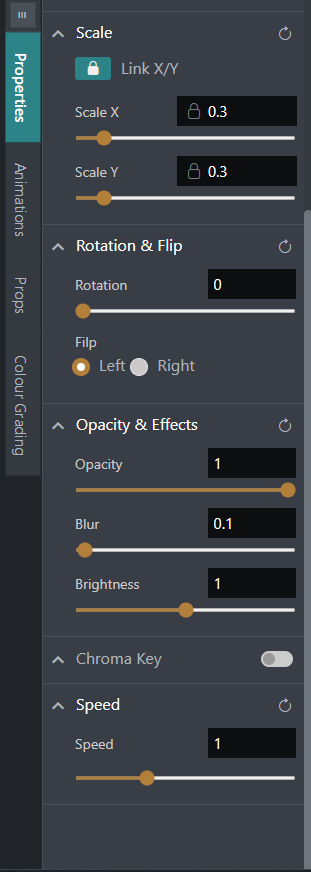
Section titled “Right Panel”The properties panel displays editable settings for selected elements.
Users can adjust:
- Position
- Scale
- Rotation
- Animation settings
- Colour grading
Recommended Environment
Section titled “Recommended Environment”For optimal performance:
- Use updated browsers
- Prefer desktop or laptop systems
- Maintain stable internet connectivity
- Close unnecessary browser tabs during rendering
Summary
Section titled “Summary”STPro Animator provides a modern browser-based animation environment that combines accessibility, usability, and professional workflow tools.
With integrated asset libraries, timeline editing, scene management, and rendering capabilities, the platform helps creators produce animated content efficiently without relying on traditional heavy desktop animation software.
Next Step
Section titled “Next Step”Continue to the next documentation section to learn:
- Creating new projects
- Understanding the interface
- Workspace organization
- Animation editing workflow